
What is php-vio?
php-vio is a native PHP extension that brings GPU rendering, audio playback, video recording, streaming, and input handling directly into PHP. It is the foundation layer for the PHPolygon game engine.
Why a PHP Extension?
PHP has mature tooling for web applications, but lacks native access to GPUs, audio hardware, and low-level input. php-vio bridges this gap by exposing a clean, procedural API that wraps battle-tested C libraries:
| Capability | Powered by |
|---|---|
| Windowing & Input | php-vio's own Win32, Cocoa, X11 and Wayland layers; optionally GLFW 3.4 |
| OpenGL Rendering | GLAD (OpenGL 3.0–4.6) |
| Vulkan Rendering | Vulkan SDK + VMA |
| Metal Rendering | Apple Metal Framework (macOS) |
| Direct3D Rendering | Direct3D 11 and 12 (Windows SDK) |
| Shader Compilation | glslang (GLSL → SPIR-V) |
| Shader Reflection | SPIRV-Cross |
| Audio | miniaudio |
| Video / Streaming | FFmpeg (libavcodec, libavformat) |
| Font Rendering | stb_truetype; shaping with HarfBuzz and SheenBidi |
| Image I/O | stb_image, stb_image_write |
Key Features
Multi-Backend Rendering
php-vio abstracts GPU operations behind a vtable-based backend system. You write rendering code once, and it runs on OpenGL, Vulkan, Metal, or D3D11/D3D12. Backends are auto-selected at runtime or can be chosen explicitly.
2D + 3D in One Extension
The 2D batch renderer handles rects, circles, lines, rounded rects, sprites, and text – all z-sorted and flushed in a single draw call. The 3D pipeline provides meshes, shaders, pipelines, instanced drawing, render targets, and cubemaps.
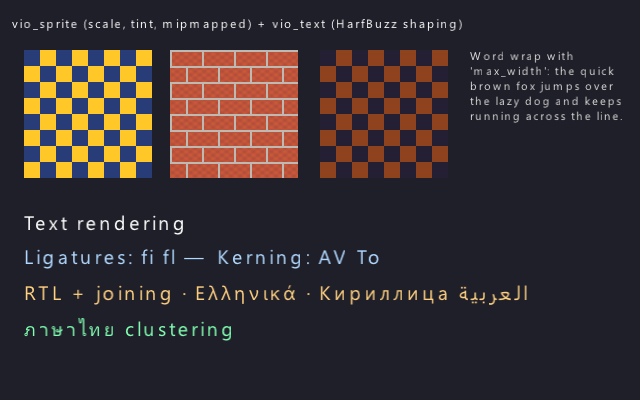 | 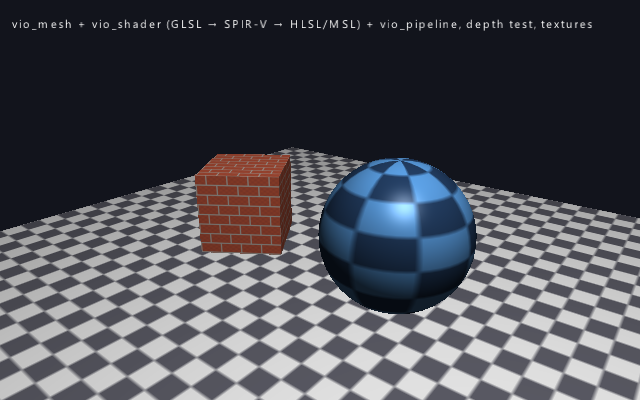 |
Both images are rendered headless by the extension itself – see the Feature Gallery for every feature path with a screenshot.
Shader Pipeline
Write your shaders in GLSL. php-vio compiles them to SPIR-V via glslang, then cross-compiles to the active backend's native format (GLSL for OpenGL, MSL for Metal, HLSL for D3D) using SPIRV-Cross. Shader reflection lets you introspect uniforms, textures, and vertex inputs at runtime.
Audio Engine
Load and play MP3, WAV, FLAC, Ogg Vorbis and Ogg Opus files. Control volume, pitch, pan, and looping. Position sounds in 3D space with a listener model.
Video Recording & Live Streaming
Capture frames to H.264/MP4 with optional hardware acceleration (VideoToolbox on macOS). Stream live to RTMP or SRT endpoints using FFmpeg.
Headless Mode
Create a rendering context without a window for automated testing, CI pipelines, or server-side rendering. Capture framebuffer contents, save screenshots, and compare images pixel-by-pixel for visual regression testing.
Desktop Applications
Several windows, menus, file dialogs, notifications, a tray icon, file drop, IME composition and screen-reader support, with an event loop that waits instead of polling – see Desktop Applications.
Platform Support
| Platform | OpenGL | Vulkan | Metal | D3D11/12 |
|---|---|---|---|---|
| macOS | ✅ | ✅ (MoltenVK) | ✅ | – |
| Linux | ✅ | ✅ | – | – |
| Windows | ✅ | ✅ | – | ✅ |
Requirements
- PHP 8.5 or later
- Optional: glslang and SPIRV-Cross (shaders on every backend but raw OpenGL GLSL), Vulkan SDK, FFmpeg, HarfBuzz, GLFW 3.4
Next Steps
- Getting Started – Install and run your first window
- Architecture – Understand the backend dispatch system
- API Reference – Complete function reference